


- Version
- Download 39572
- File Size 8.13 MB
- File Count 1
- Create Date 16 Ağustos 2025
- Last Updated 16 Ağustos 2025
How To Download Upi Minecraft Launcher
What’s New in Upi Launcher v0.4.0
| · Optimized launcher for better speed and performance
| · Optimized images for smoother usage
| · New logo design
| · Complete UI redesign
| · Updated loading screen
How to Install Upi Minecraft Launcher
Hello everyone!
In this guide, I’ll explain how to install the Upi Minecraft Launcher, released on the Upi Land website.
- Click the Download button on the left side of the page.
- A file named Upi Launcher Beta Setup .zip will be downloaded.
- Open the file and run Upi Launcher v0.4.0 .msi.
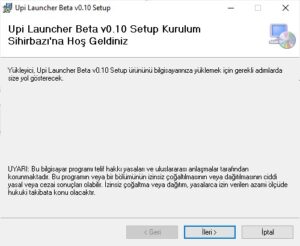
When the installation window appears:
Firstly click Next to continue.
Select the installation folder (custom or default).
Click Next again to confirm.
Before starting the installation, a confirmation box will pop up. Click Yes to proceed.
That’s it you’ve successfully installed the Launcher!

Why Choose Upi Launcher?
If you have a skin linked to your account, it will appear directly on the launcher’s home screen.

Includes nearly 200 Minecraft versions such as pre-releases, release candidates, snapshots, and alphas.
Automatically updates itself whenever a new version is released.
With all these improvements and new features, now is the perfect time to try Upi Launcher.
Don’t you agree?