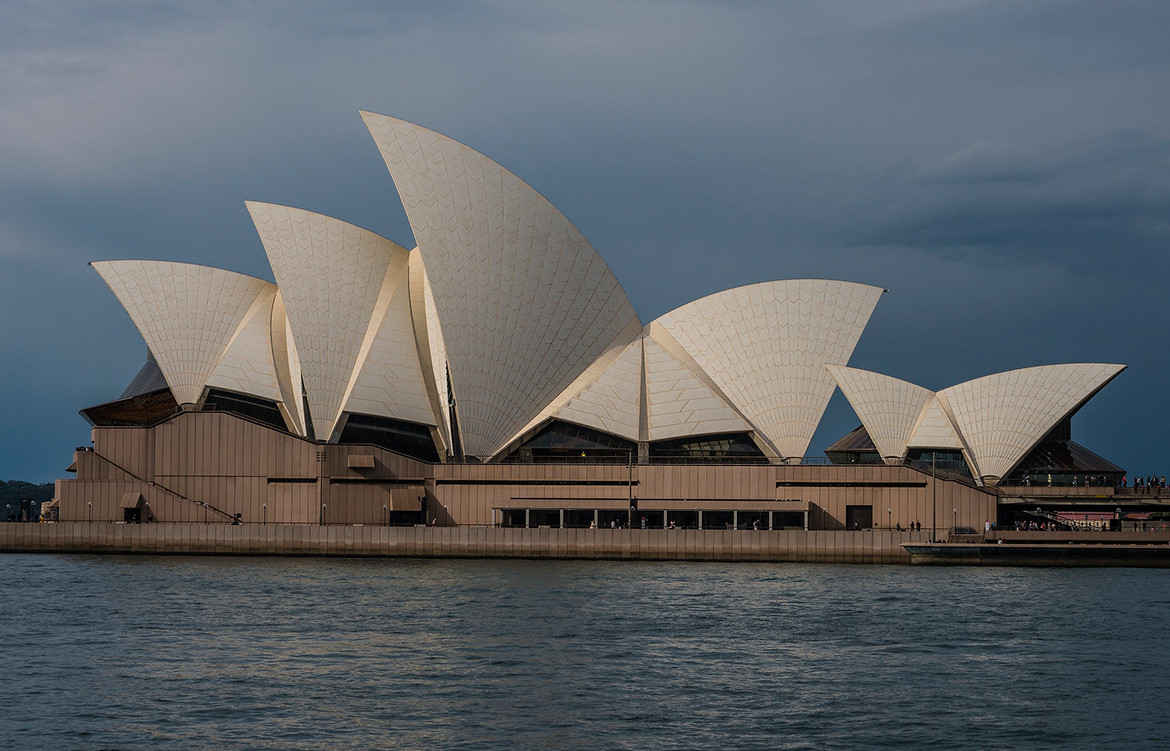


I’m not an architect nor a programmer. But when I wanted to understand what makes architecture beautiful, I did what I had to do: I wrote code to figure it out.
1. The “Aha!” Moment

We’ve all felt it. You walk into a grand old library or look up at a cathedral ceiling and just feel… something. A sense of order, peace, or awe. For years, I thought that “something” was magic—a talent only architects possessed.
I was wrong. It’s not magic. It’s math. And math is just a language. A language that code can speak perfectly.
So, I decided to translate architecture.
2. Principle #1: The Golden Ratio (Nature’s Favorite Number)
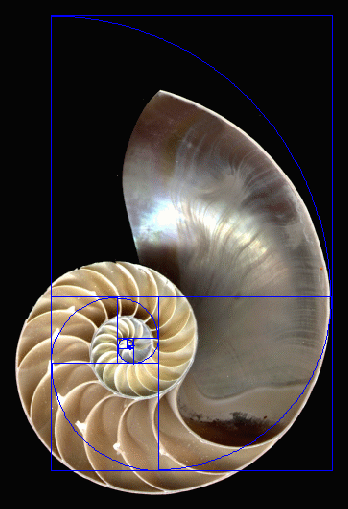
What it is: A special number, roughly 1.618, that appears over and over in nature. It’s in the swirl of a seashell, the seeds of a sunflower, and the shape of our own DNA. For centuries, artists and architects have used it because it feels naturally balanced and beautiful to us.

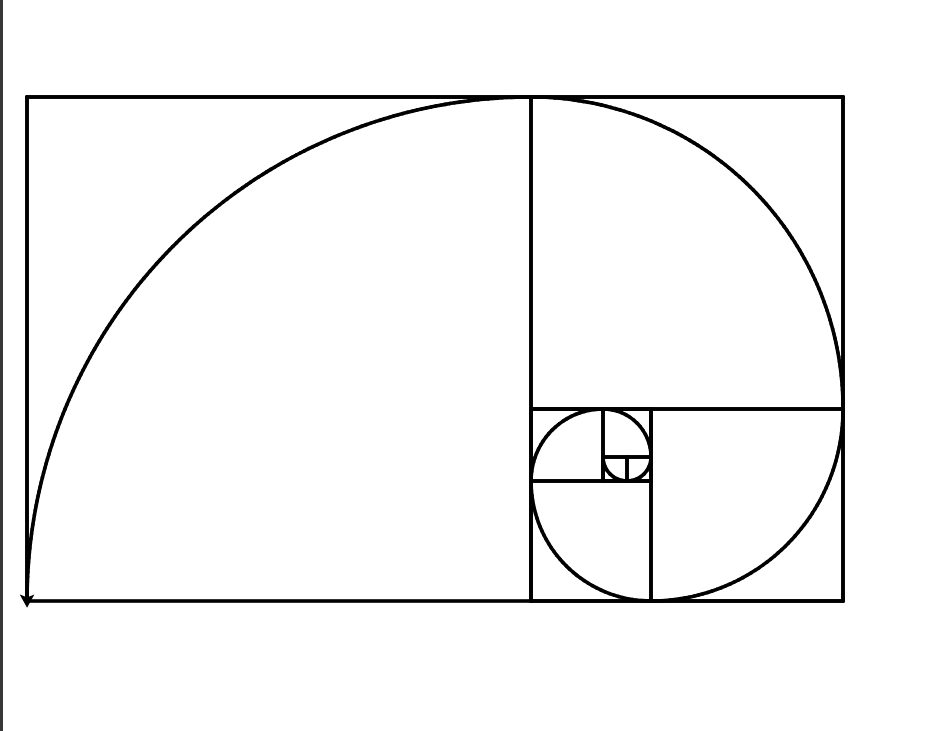
How I Coded It: I wrote a simple program that draws rectangles based on this ratio. Each new shape fits perfectly into the last, creating a perfectly balanced spiral.
The “Whoa” Moment: Seeing that spiral generated by thirty-seven lines of code was my first clue. This wasn’t a vague idea; it was a real, calculable rule. This one rule is a huge part of why we find certain buildings instinctively beautiful.
3. Principle #2: Symmetry (The Love of Mirrors)

What it is: Our brains are wired to love symmetry. It means balance, stability, and order. In architecture, it’s often the foundation that makes a building feel grand and imposing.
How I Coded It: I told the computer to draw one single, intricate Gothic window. Then, I wrote one command: mirror_it(). Instantly, I had a perfect, symmetrical pair.
Let’s act like it’s a gothic mirror.
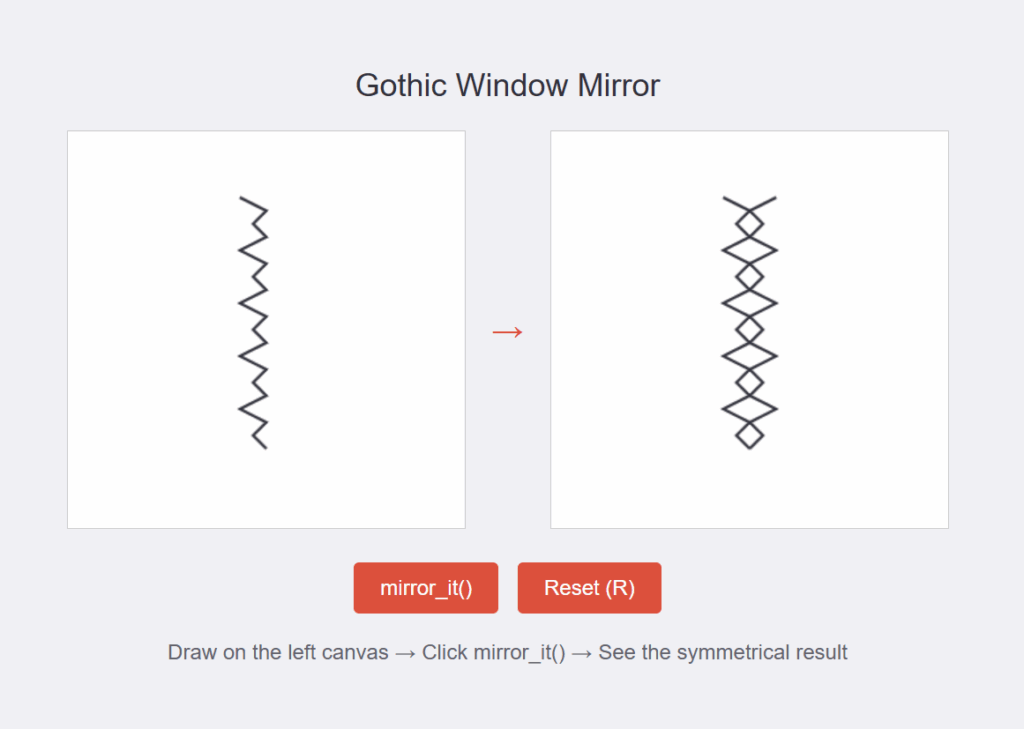
The “Whoa” Moment: Code showed me that breathtaking complexity can be built from stunning simplicity. A master architect might draw one perfect half, knowing the whole will be perfect. My code did the same thing.
4. Principle #3: Hierarchy (What’s the Most Important Thing?)
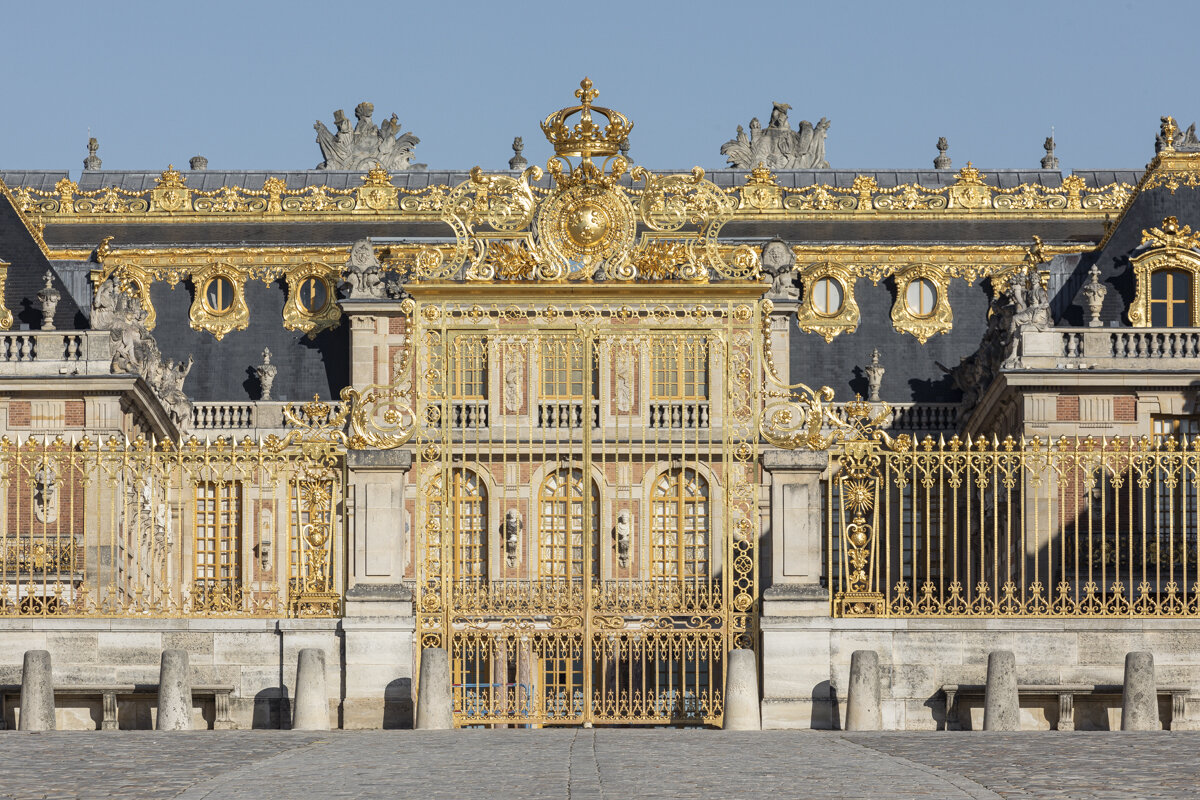
What it is: Great architecture tells you where to look. It uses size and placement to show you what’s important. The big central door is the most important. The smaller windows above are less important. This creates order and guides your experience.
How I Coded It: I wrote a loop to draw 10 identical boxes in a row. Then, I added a single if statement: “If this is the middle box, draw it bigger.”
5 small boxes on the left
1 large box in the center
4 small boxes on the right
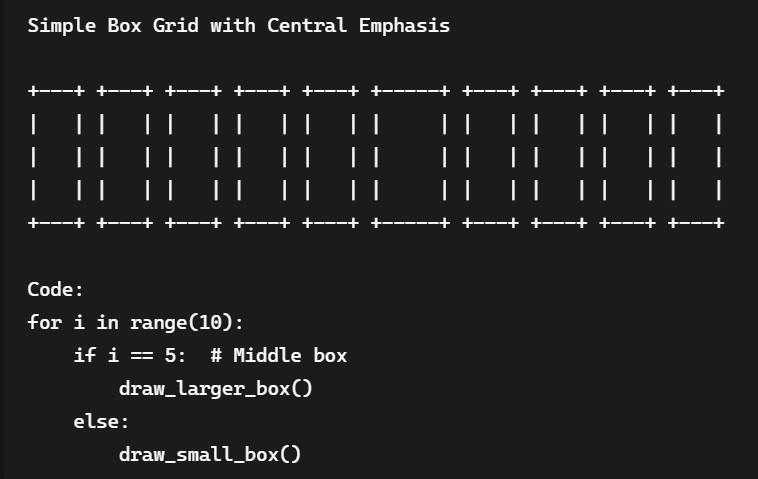
The “Whoa” Moment: This was the biggest revelation. That tiny if statement is a design decision. It’s the code version of an architect saying, “This part here? This is the main event.”
Conclusion: The Blueprint is a Recipe

I didn’t become an architect by writing these lines of code. But I finally understood them.
I realized that the blueprints and sketches I admired aren’t just drawings. They are recipes. They are the human instructions for creating feeling out of stone, glass, and steel.
The beauty was always there, hidden in the logic. Code just helped me hear the music.
What do you think? Does looking at buildings this way change how you see the world around you? Let me know in the comments.
Code 1
Principle 1
!pip install ColabTurtlePlus
from ColabTurtlePlus.Turtle import *
import math

initializeTurtle()
setup(1000, 800)
pensize(3)

def main():
    valueOne = 0
    valueTwo = 1
    fib = 1
    for i in range(8):
        right(90)
        drawSq(fib*20)
        fib = valueOne + valueTwo
        valueOne = valueTwo
        valueTwo = fib

def drawSq(sides):
    for n in range(6):
        forward(sides)
        left(90)

def sprial():
    angle = 90
    right(90)
    penup()
    setpos(0, 0)
    pendown()
    arc(20, angle)
    arc(20, angle)
    arc(40, angle)
    arc(60, angle)
    arc(100, angle)
    arc(160, angle)
    arc(260, angle)
    arc(420, angle)

def arcLine(n, length, angle):
    for i in range(n):
        forward(length)
        left(angle)

def arc(r, angle):
    arc_length = 2 * math.pi * r * abs(angle) / 360
    n = int(arc_length / 4) + 1
    step_length = arc_length / n
    step_angle = float(angle) / n
    left(step_angle/2)
    arcLine(n, step_length, step_angle)
    right(step_angle/2)

main()
sprial()
saveSVG("output.svg")
Code 2
Principle 2
<!DOCTYPE html>
<html lang="en">
<head>
    <meta charset="UTF-8">
    <meta name="viewport" content="width=device-width, initial-scale=1.0">
    <title>Gothic Window Mirror</title>
    <style>
        body {
            font-family: Arial, sans-serif;
            background-color: #f0f0f5;
            display: flex;
            justify-content: center;
            align-items: center;
            height: 100vh;
            margin: 0;
            overflow: hidden;
        }
        .container {
            display: flex;
            flex-direction: column;
            align-items: center;
        }
        .title {
            font-size: 24px;
            margin-bottom: 20px;
            color: #32323c;
        }
        .canvas-container {
            display: flex;
            margin-bottom: 20px;
        }
        .panel {
            position: relative;
            width: 300px;
            height: 300px;
            border: 1px solid #ccc;
            background-color: white;
            margin: 0 20px;
        }
        .arrow {
            display: flex;
            align-items: center;
            font-size: 24px;
            color: #dc503c;
            font-weight: bold;
        }
        canvas {
            position: absolute;
            top: 0;
            left: 0;
            width: 100%;
            height: 100%;
            cursor: crosshair;
        }
        .instructions {
            margin-top: 15px;
            color: #64646e;
            text-align: center;
        }
        button {
            background-color: #dc503c;
            color: white;
            border: none;
            padding: 10px 20px;
            border-radius: 4px;
            cursor: pointer;
            font-size: 16px;
            margin: 5px;
        }
        button:hover {
            background-color: #c1402c;
        }
    </style>
</head>
<body>
    <div class="container">
        <div class="title">Gothic Window Mirror</div>
        <div class="canvas-container">
            <div class="panel">
                <canvas id="leftCanvas" width="300" height="300"></canvas>
            </div>
            <div class="arrow">→</div>
            <div class="panel">
                <canvas id="rightCanvas" width="300" height="300"></canvas>
            </div>
        </div>
        <div>
            <button id="mirrorBtn">mirror_it()</button>
            <button id="resetBtn">Reset (R)</button>
        </div>
        <div class="instructions">
            Draw on the left canvas → Click mirror_it() → See the symmetrical result
        </div>
    </div>

    <script>
        document.addEventListener('DOMContentLoaded', function() {
            const leftCanvas = document.getElementById('leftCanvas');
            const rightCanvas = document.getElementById('rightCanvas');
            const mirrorBtn = document.getElementById('mirrorBtn');
            const resetBtn = document.getElementById('resetBtn');

            const leftCtx = leftCanvas.getContext('2d');
            const rightCtx = rightCanvas.getContext('2d');

            let isDrawing = false;
            let points = [];

            // Set up both canvases
            leftCtx.lineWidth = 2;
            leftCtx.strokeStyle = '#32323c';
            rightCtx.lineWidth = 2;
            rightCtx.strokeStyle = '#32323c';

            // Draw a sample gothic window half
            drawSampleWindow();

            // Drawing functions
            function startDrawing(e) {
                isDrawing = true;
                points = [];
                const rect = leftCanvas.getBoundingClientRect();
                const x = e.clientX - rect.left;
                const y = e.clientY - rect.top;
                points.push({x, y});
            }

            function draw(e) {
                if (!isDrawing) return;
                const rect = leftCanvas.getBoundingClientRect();
                const x = e.clientX - rect.left;
                const y = e.clientY - rect.top;

                points.push({x, y});

                leftCtx.clearRect(0, 0, leftCanvas.width, leftCanvas.height);
                drawPoints(leftCtx, points);
            }

            function stopDrawing() {
                isDrawing = false;
            }

            function drawPoints(ctx, points) {
                if (points.length < 2) return;

                ctx.beginPath();
                ctx.moveTo(points[0].x, points[0].y);

                for (let i = 1; i < points.length; i++) {
                    ctx.lineTo(points[i].x, points[i].y);
                }

                ctx.stroke();
            }

            function mirrorIt() {
                rightCtx.clearRect(0, 0, rightCanvas.width, rightCanvas.height);

                if (points.length < 2) return;

                // Draw original on right
                drawPoints(rightCtx, points);

                // Draw mirrored version
                const mirroredPoints = points.map(p => ({
                    x: rightCanvas.width - p.x,
                    y: p.y
                }));

                drawPoints(rightCtx, mirroredPoints);
            }

            function reset() {
                leftCtx.clearRect(0, 0, leftCanvas.width, leftCanvas.height);
                rightCtx.clearRect(0, 0, rightCanvas.width, rightCanvas.height);
                points = [];
                drawSampleWindow();
            }

            function drawSampleWindow() {
                // Draw a sample gothic window half
                const samplePoints = [];
                for (let i = 0; i < 20; i++) {
                    const y = 50 + i * 10;
                    let x = 150;

                    if (i % 4 === 0) x -= 20;
                    else if (i % 4 === 2) x -= 10;

                    samplePoints.push({x, y});
                }

                drawPoints(leftCtx, samplePoints);
                points = samplePoints;
            }

            // Event listeners
            leftCanvas.addEventListener('mousedown', startDrawing);
            leftCanvas.addEventListener('mousemove', draw);
            leftCanvas.addEventListener('mouseup', stopDrawing);
            leftCanvas.addEventListener('mouseleave', stopDrawing);

            mirrorBtn.addEventListener('click', mirrorIt);
            resetBtn.addEventListener('click', reset);

            // Keyboard shortcuts
            document.addEventListener('keydown', function(e) {
                if (e.key === 'r' || e.key === 'R') reset();
            });
        });
    </script>
</body>
</html>
Code 3
Principle 3
def draw_grid():
    num_boxes = 10
    box_size = 3
    large_size = 5

    # Draw top borders
    for i in range(num_boxes):
        if i == num_boxes // 2:
            print("+" + "-" * large_size + "+", end=" ")
        else:
            print("+" + "-" * box_size + "+", end=" ")
    print()

    # Draw middle sections
    for i in range(box_size):
        for j in range(num_boxes):
            if j == num_boxes // 2:
                print("|" + " " * large_size + "|", end=" ")
            else:
                print("|" + " " * box_size + "|", end=" ")
        print()

    # Draw bottom borders
    for i in range(num_boxes):
        if i == num_boxes // 2:
            print("+" + "-" * large_size + "+", end=" ")
        else:
            print("+" + "-" * box_size + "+", end=" ")
    print()

# Draw the grid
print("Simple Box Grid with Central Emphasis")
print()
draw_grid()
print()
print("Code:")
print("for i in range(10):")
print("    if i == 5:  # Middle box")
print("        draw_larger_box()")
print("    else:")
print("        draw_small_box()")
→